
Notice: Function _load_textdomain_just_in_time was called incorrectly. Translation loading for the acf domain was triggered too early. This is usually an indicator for some code in the plugin or theme running too early. Translations should be loaded at the init action or later. Please see Debugging in WordPress for more information. (This message was added in version 6.7.0.) in /www/htdocs/w00d7cd8/zlatanrasidovic-dev/wp-includes/functions.php on line 6170
Fujifilm X100V slow storing pictures - Zlatan Rasidovic
Deprecated: Function WP_Dependencies->add_data() was called with an argument that is deprecated since version 6.9.0! IE conditional comments are ignored by all supported browsers. in /www/htdocs/w00d7cd8/zlatanrasidovic-dev/wp-includes/functions.php on line 6170

Quick tip

Fujifilm X100V slow storing pictures

I recently purchased the Fujifilm X100V and have been thoroughly enjoying it. It is easy to carry around and fun to use, which has made me take more pictures.

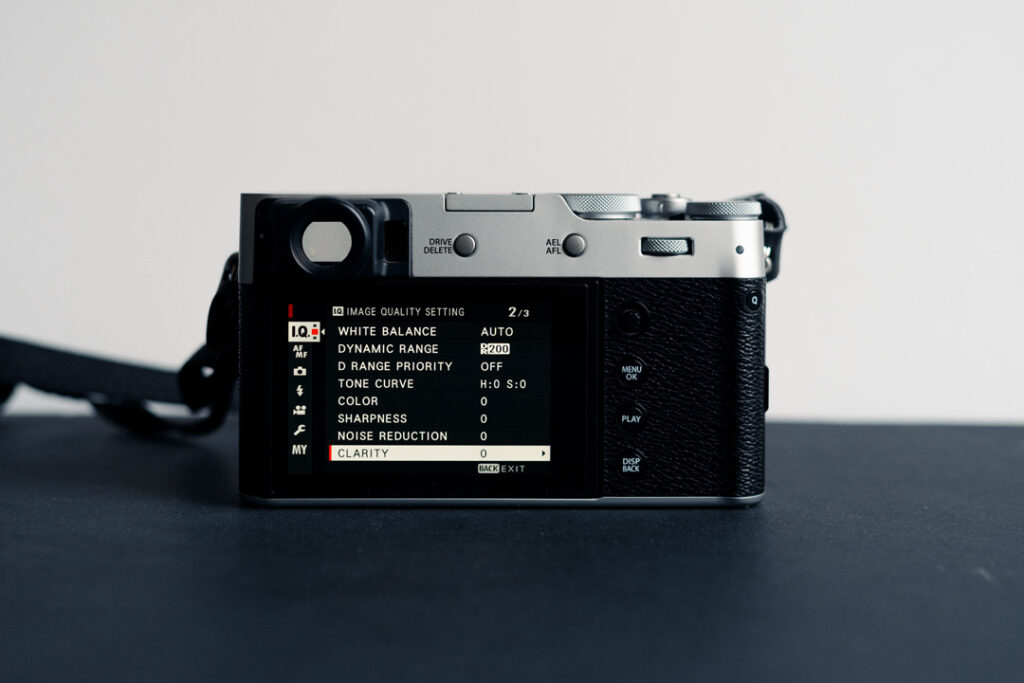
However, after a few days, I noticed that storing pictures was taking significantly longer than before. Initially, I thought the problem might be with my SD card, but the issue persisted even after trying multiple cards. The problem disappeared after I performed a factory reset of the camera, leading me to suspect that it was related to my settings. I tried turning on and off every setting individually and finally found the culprit.

👉 Solution

It turns out that if your CLARITY setting is anything other than 0, it will take a long time for the X100V to process and store your image. Just leave CLARITY at 0 and the camera will be really fast again.